A push notification
from anything that can make an HTTP request
Install the free app, copy your key, send an HTTP request to
notifi.it/send.
$ curl https://notifi.it/send -d key=nk_yourkeyhere -d title="hello world"
$ curl https://notifi.it/send \
    -d key=nk_yourkeyhere \
    -d title="hello world"
The app

On the device
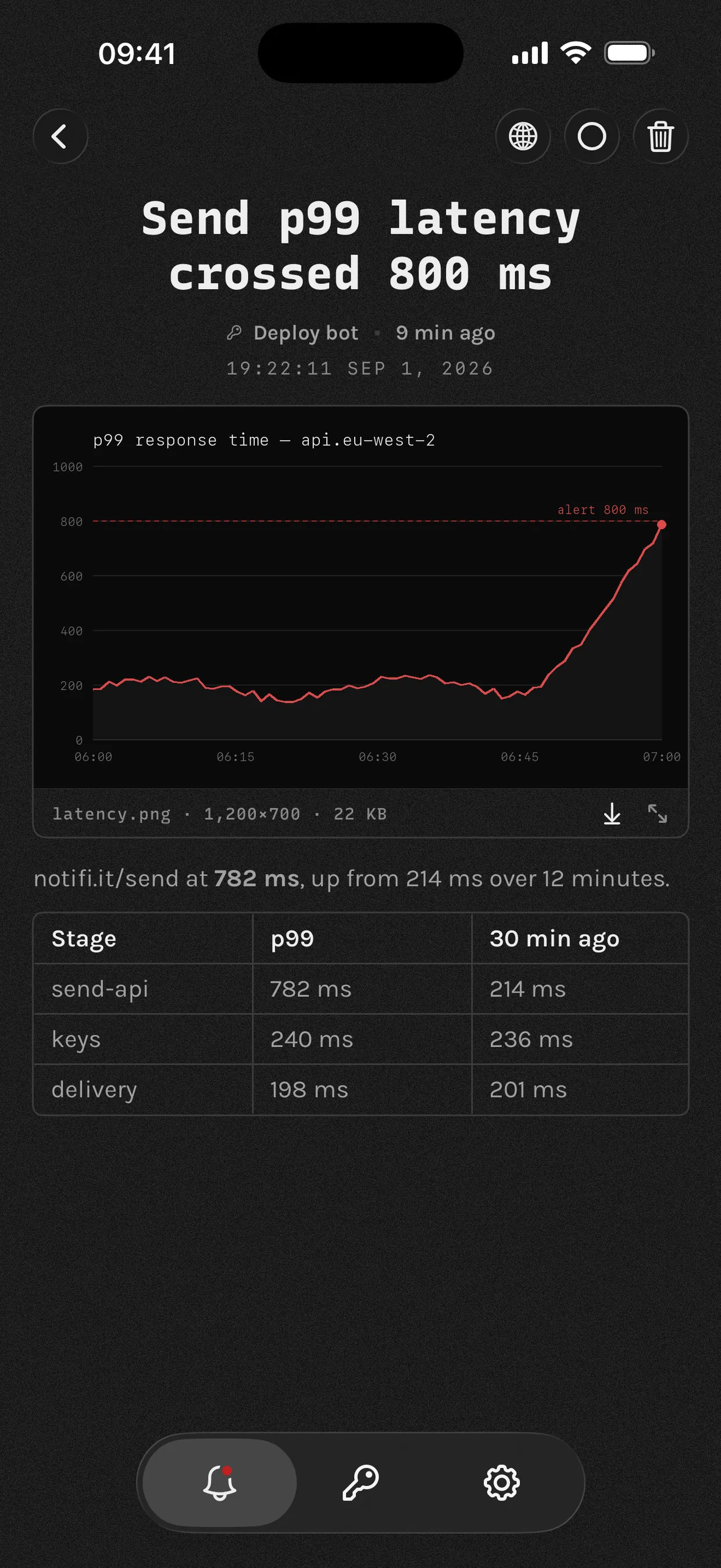

API
GET or POST https://notifi.it/send
| Parameter | Type | Notes |
|---|---|---|
| key required | string | The key from the app. It picks which device gets the push. Send it as a header, Authorization: Bearer nk_yourkey, which keeps it out of logs; or pass it as this parameter. |
| title required | string | The notification title. Up to 200 characters. |
| message | string | The notification body. Markdown, up to 16,000 characters. |
| link | URL | A link to a website or internal app. Up to 2,048 characters. |
| image | URL | Image displayed with the notification. URL up to 2,048 characters. |
| occurred_at | integer | Unix milliseconds. Changes the timestamp shown in the app; defaults to when we receive the request. |
| is_critical | boolean | Ask for an urgent notification: it breaks through Focus and stays on the lock screen. The key must also have Urgent alerts switched on in the app. |
curl -X POST https://notifi.it/send \
  -H "Authorization: Bearer $NOTIFI_KEY" \
  -d "title=Hello from notifi" \
  -d "message=Your first notification." \
  -d "link=https://notifi.it/docs" \
  -d "image=https://notifi.it/anaglyph-bell.png"
await fetch("https://notifi.it/send", {
  method: "POST",
  headers: {
    "Authorization": `Bearer ${process.env.NOTIFI_KEY}`,
    "Content-Type": "application/json",
  },
  body: JSON.stringify({
    title: "Hello from notifi",
    message: "Your first notification.",
    link: "https://notifi.it/docs",
    image: "https://notifi.it/anaglyph-bell.png",
  }),
});
import os, requests

requests.post(
    "https://notifi.it/send",
    headers={"Authorization": f"Bearer {os.environ['NOTIFI_KEY']}"},
    json={
        "title": "Hello from notifi",
        "message": "Your first notification.",
        "link": "https://notifi.it/docs",
        "image": "https://notifi.it/anaglyph-bell.png",
    },
)
package main

import (
	"net/http"
	"net/url"
	"os"
	"strings"
)

func main() {
	form := url.Values{
		"title":   {"Hello from notifi"},
		"message": {"Your first notification."},
		"link":    {"https://notifi.it/docs"},
		"image":   {"https://notifi.it/anaglyph-bell.png"},
	}
	req, _ := http.NewRequest("POST", "https://notifi.it/send",
		strings.NewReader(form.Encode()))
	req.Header.Set("Authorization", "Bearer "+os.Getenv("NOTIFI_KEY"))
	req.Header.Set("Content-Type", "application/x-www-form-urlencoded")
	http.DefaultClient.Do(req)
}
import Foundation

var request = URLRequest(url: URL(string: "https://notifi.it/send")!)
request.httpMethod = "POST"
request.setValue("Bearer \(key)", forHTTPHeaderField: "Authorization")
request.setValue("application/json", forHTTPHeaderField: "Content-Type")
request.httpBody = try JSONEncoder().encode([
    "title": "Hello from notifi",
    "message": "Your first notification.",
    "link": "https://notifi.it/docs",
    "image": "https://notifi.it/anaglyph-bell.png",
])

_ = try await URLSession.shared.data(for: request)
require "net/http"

uri = URI("https://notifi.it/send")
req = Net::HTTP::Post.new(uri)
req["Authorization"] = "Bearer #{ENV['NOTIFI_KEY']}"
req.set_form_data(
  "title" => "Hello from notifi",
  "message" => "Your first notification.",
  "link" => "https://notifi.it/docs",
  "image" => "https://notifi.it/anaglyph-bell.png"
)

Net::HTTP.start(uri.host, uri.port, use_ssl: true) { |http| http.request(req) }
<?php
$ch = curl_init("https://notifi.it/send");
curl_setopt_array($ch, [
    CURLOPT_POST       => true,
    CURLOPT_HTTPHEADER => ["Authorization: Bearer " . getenv("NOTIFI_KEY")],
    CURLOPT_POSTFIELDS => [
        "title"   => "Hello from notifi",
        "message" => "Your first notification.",
        "link"    => "https://notifi.it/docs",
        "image"   => "https://notifi.it/anaglyph-bell.png",
    ],
]);
curl_exec($ch);
// reqwest = { version = "0.12", features = ["json"] }
let key = std::env::var("NOTIFI_KEY")?;

reqwest::Client::new()
    .post("https://notifi.it/send")
    .bearer_auth(key)
    .form(&[
        ("title", "Hello from notifi"),
        ("message", "Your first notification."),
        ("link", "https://notifi.it/docs"),
        ("image", "https://notifi.it/anaglyph-bell.png"),
    ])
    .send()
    .await?;
import java.net.URI;
import java.net.URLEncoder;
import java.net.http.HttpClient;
import java.net.http.HttpRequest;
import java.net.http.HttpResponse;
import java.util.function.BiFunction;
import static java.nio.charset.StandardCharsets.UTF_8;

BiFunction<String, String, String> field = (k, v) -> k + "=" + URLEncoder.encode(v, UTF_8);

var body = String.join("&",
    field.apply("title", "Hello from notifi"),
    field.apply("message", "Your first notification."),
    field.apply("link", "https://notifi.it/docs"),
    field.apply("image", "https://notifi.it/anaglyph-bell.png"));

var request = HttpRequest.newBuilder(URI.create("https://notifi.it/send"))
    .header("Authorization", "Bearer " + System.getenv("NOTIFI_KEY"))
    .header("Content-Type", "application/x-www-form-urlencoded")
    .POST(HttpRequest.BodyPublishers.ofString(body))
    .build();

HttpClient.newHttpClient().send(request, HttpResponse.BodyHandlers.discarding());
// Fires when Claude stops.
{
  "hooks": {
    "Stop": [{
      "hooks": [{
        "type": "command",
        "command": "curl -s https://notifi.it/send \
                     -H \"Authorization: Bearer $NOTIFI_KEY\" \
                     -d \"title=Claude finished\" \
                     -d \"message=$CLAUDE_PROJECT_DIR\""
      }]
    }]
  }
}
# Put NOTIFI_KEY in the repository's secrets.
- name: Tell me it broke
  if: failure()
  run: |
    curl -s https://notifi.it/send \
      -H "Authorization: Bearer $NOTIFI_KEY" \
      -d "title=$GITHUB_WORKFLOW failed" \
      -d "message=$GITHUB_REF_NAME at $(git log -1 --format=%s)" \
      -d "link=$GITHUB_SERVER_URL/$GITHUB_REPOSITORY/actions/runs/$GITHUB_RUN_ID"
  env:
    NOTIFI_KEY: ${{ secrets.NOTIFI_KEY }}
# Notify for any command that took longer than a minute, and say
# whether it worked.
autoload -Uz add-zsh-hook

_notifi_start() { _NOTIFI_T=$SECONDS; _NOTIFI_CMD=$1 }
_notifi_end() {
  local code=$? secs=$(( SECONDS - ${_NOTIFI_T:-SECONDS} ))
  (( secs < 60 )) && return
  curl -s https://notifi.it/send \
    -H "Authorization: Bearer $NOTIFI_KEY" \
    -d "title=$([[ $code == 0 ]] && echo ok || echo failed) after ${secs}s" \
    -d "message=$_NOTIFI_CMD" >/dev/null
}
add-zsh-hook preexec _notifi_start
add-zsh-hook precmd  _notifi_end
# crontab -e. A cron job gets no PATH, and its output goes nowhere you
# will read, so a job that quietly stopped working stays quiet for months.
# A literal % is a newline to cron: escape any you need as \%.
PATH=/usr/local/bin:/usr/bin:/bin
NOTIFI_KEY=...

0 3 * * * backup.sh >/tmp/backup.log 2>&1; curl -s https://notifi.it/send -H "Authorization: Bearer $NOTIFI_KEY" -d "title=backup $([ $? = 0 ] && echo ok || echo failed) on $(hostname)" --data-urlencode "message=$(tail -c 800 /tmp/backup.log)"
# Drop this in /etc/systemd/system/, then add one line to any unit:
#   OnFailure=notifi-failed@%n.service
# Every unit on the box can share it. %i is the unit that failed.
[Unit]
Description=Push a notification when %i fails

[Service]
Type=oneshot
EnvironmentFile=/etc/notifi.env
ExecStart=/usr/bin/curl -s https://notifi.it/send \
  -H "Authorization: Bearer $NOTIFI_KEY" \
  -d "title=%i failed on %H" \
  --data-urlencode "message=$(systemctl status %i --lines=10 --no-pager)"
# Put the key in a Secret, then curl at the end of any Job's command.
apiVersion: batch/v1
kind: CronJob
metadata:
  name: nightly-backup
spec:
  schedule: "0 3 * * *"
  jobTemplate:
    spec:
      template:
        spec:
          restartPolicy: Never
          containers:
          - name: backup
            image: alpine/curl
            command: ["/bin/sh", "-c"]
            args:
            - |
              ./backup.sh &&
              curl -s https://notifi.it/send \
                -H "Authorization: Bearer $NOTIFI_KEY" \
                -d "title=Backup complete"
            env:
            - name: NOTIFI_KEY
              valueFrom: { secretKeyRef: { name: notifi, key: key } }
Uses
Agents
- An agent stopped and needs a decision
- An Nvidia GPU dropped below $500
- Training loss went NaN
Builds and deploys
- A deploy failed
- App Review approved the build
- A build has been queued for 20 minutes
Servers and jobs
- A disk crossed 90%
- A health check has been down five minutes
- A nightly backup did not run
Home and hardware
- A humidity sensor went over 70%
- The UPS switched to battery
- The car finished charging
How it works
No signup: the app makes a keypair on first launch, and that keypair is your identity.
The server deletes a notification as soon as your device confirms it has collected it. Your history stays on your device.
Send is_critical=1 with a key
marked urgent and it breaks through Focus.
Give each source its own key. If one leaks, revoke it and the rest keep working.
It is plain HTTP, so anything that can make an HTTP request can send: a Linux box, a CI runner, a router, a home hub, another phone.
App, API and crypto are on GitHub.
Why not just use ...
- Quicker to set up than an SMTP relay
- Your important notifications in one place, not your email inbox
- Lighter than running Slack
- No bot to register, unlike Telegram
- Richer formatting than SMS allows
- Encrypted, unlike Ntfy
- Free, where Pushover charges
Reviews
Unfortunately, we didn’t realize we had any users when we took down the servers.